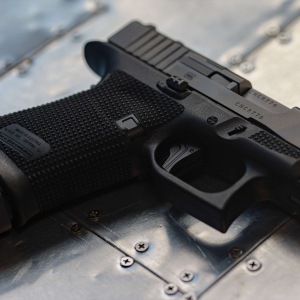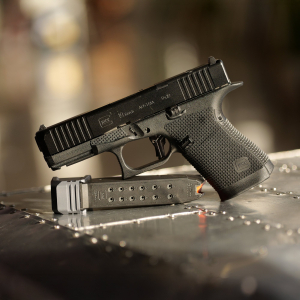
Mounting a red dot on a SIG P365 is a straightforward upgrade, but using the wrong screw length is one of the fastest ways to damage internal components. Screws that are too long can extend into the slide and interfere with critical parts like the extractor plunger, leading to malfunctions or permanent damage.
This guide breaks down how screw length affects function, how to verify proper fitment, and how to avoid costly mistakes during installation.
Why Screw Length Matters
Red dot mounting screws pass through the optic and into threaded holes in the slide. Those holes sit directly above internal channels that house moving parts.
-
Too short = insufficient thread engagement and loose optic
-
Too long = intrusion into internal components
-
Correct length = secure mounting without interference
Even a fraction of a millimeter too long can cause contact inside the slide.
What Gets Damaged When Screws Are Too Long
Extractor Plunger and Spring
The extractor plunger channel runs close to the optic screw holes. Excess screw length can press into this channel.
-
Restricts plunger movement
-
Causes extraction failures
-
Leads to inconsistent ejection
Slide Integrity
Overly long screws can bottom out against internal surfaces.
-
Strips threads under torque
-
Creates stress points in the slide
-
Prevents proper optic seating
How to Identify Incorrect Screw Length
There are clear warning signs before and after installation.
-
Screws tighten suddenly and stop early (bottoming out)
-
Optic does not sit flush with the slide
-
Extractor feels sluggish during manual cycling
-
New extraction or ejection issues after installation
If any of these appear, stop and re-check screw length immediately.
How to Measure and Verify Proper Length
Check Depth Before Installation
Measure the depth of the threaded hole and compare it to screw length minus optic thickness.
-
Account for optic base plate thickness
-
Ensure screws do not exceed usable thread depth
Use Manufacturer-Specified Screws
Optics and slides are designed with specific screw lengths in mind.
-
Use provided screws whenever possible
-
Avoid generic replacements without measurement
Test Fit Without Thread Locker
Always do a dry install first.
-
Install screws lightly and check seating
-
Cycle the slide and confirm smooth internal movement
Installation Best Practices
-
Start screws by hand to avoid cross-threading
-
Use correct driver size to prevent stripping
-
Apply torque gradually—not in one motion
-
Add thread locker only after confirming correct length
Rushing installation is the most common cause of damage.
When to Shorten Screws
Some setups require slight adjustment to screw length.
-
If screws protrude beyond safe depth, shorten carefully
-
Remove small amounts evenly from the tip
-
Deburr threads after modification
Never force a screw that feels too long.
Did You Know?
A screw that’s only slightly too long can cause intermittent extraction issues that are often misdiagnosed as ammo or extractor problems.
Conclusion
Proper screw length is critical for both reliability and longevity when mounting a P365 optic. Verifying depth, using correct hardware, and testing before final installation prevents internal interference and costly damage. For precision-fit components designed to work with proper tolerances, explore SIG Sauer upgrade parts built for reliable performance.
FAQs
What happens if my optic screws are too long?
They can interfere with internal components like the extractor plunger and cause malfunctions.
Can I reuse screws from another optic?
Only if length and thread pitch match exactly. Otherwise, measure and verify first.
How do I know if screws are bottoming out?
You’ll feel sudden resistance before the optic is fully seated.
Should I use thread locker immediately?
No. Always confirm proper fit and function before applying it.
Is trimming screws safe?
Yes, if done carefully and evenly, followed by proper deburring.