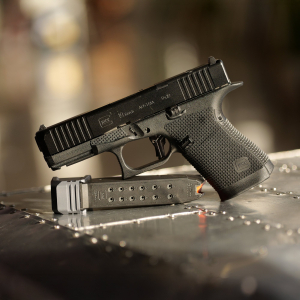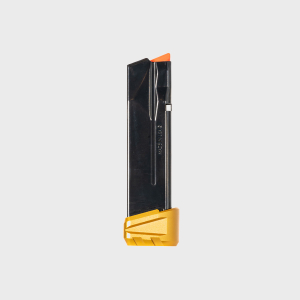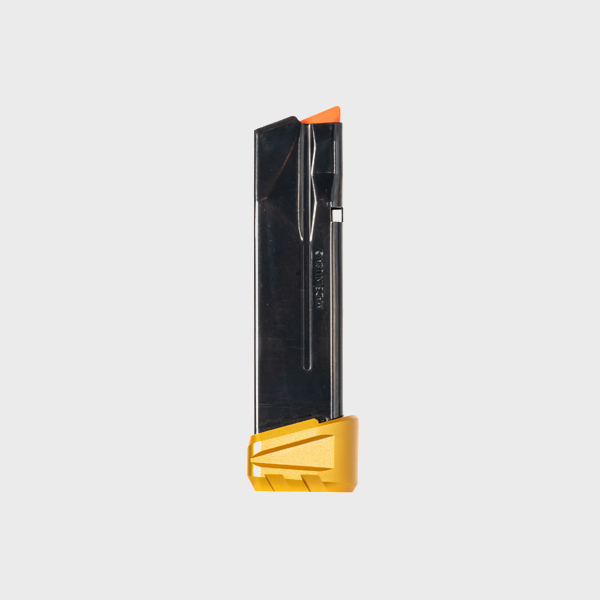
When upgrading or modifying your SIG P365 magazine with an extension, the assembly process is straightforward—but one common mistake can lead to issues with feeding reliability, magazine performance, or malfunctioning components. The correct orientation of the magazine extension spring is crucial for proper function. An incorrectly installed spring can cause jams, feeding issues, or even prevent the magazine from seating properly in the gun.
This guide will help you understand the importance of proper spring orientation in the P365 magazine extension and how to avoid the most common assembly mistake.
Why Spring Orientation Matters
The spring in a P365 magazine extension serves several important functions:
-
It provides the necessary tension to push rounds into the feed lip, ensuring reliable feeding.
-
It ensures that the magazine maintains its pressure, allowing it to hold the rounds securely.
-
It helps in smooth feeding and prevents the last round from misfeeding or tilting.
If the spring is oriented incorrectly, it may not apply the correct amount of pressure to the rounds, leading to feeding problems, unreliable magazine performance, or even failure to lock the slide back after the last round is fired.
How to Identify the Common Spring Orientation Mistake
The most common mistake when assembling the P365 magazine extension is reversing the spring orientation. This mistake occurs when the spring is installed with the wrong end facing up or down, which can affect the magazine’s ability to function properly.
The Correct Spring Orientation
-
The larger, more open end of the spring should face the base of the magazine, while the smaller, tighter end should face toward the follower or magazine extension.
-
The smaller end of the spring, which typically sits inside the follower, helps maintain tension and provides consistent upward force to push the rounds into the feed lip.
Installing the spring upside down will lead to improper tension, misfeeds, or failure to cycle properly.
Signs of Incorrect Spring Orientation
Incorrect spring orientation in your P365 magazine extension can lead to various performance issues, such as:
-
Failure to feed: Rounds may fail to feed properly into the chamber, resulting in malfunctions.
-
Inconsistent magazine pressure: The magazine may not hold the correct amount of rounds or feel loose, even after properly seating in the magwell.
-
Slide lock failure: The slide may not lock back after firing the last round due to insufficient pressure from the spring.
Any of these signs may indicate that the spring is not oriented properly and should be checked and reassembled with the correct orientation.
How to Correctly Assemble the P365 Magazine Extension
Proper assembly ensures reliable function and optimal performance. Follow these steps to assemble your P365 magazine extension correctly:
-
Step 1: Begin by separating the magazine, extension, and spring. Remove the follower from the magazine and inspect the spring for damage or wear.
-
Step 2: Insert the spring into the magazine extension, ensuring the smaller end of the spring faces the follower. The larger end of the spring should be positioned at the bottom of the magazine extension.
-
Step 3: Place the follower into the magazine and align it with the spring. Carefully insert the magazine extension onto the base of the magazine.
-
Step 4: Compress the spring carefully as you slide the extension into place, ensuring everything is aligned correctly.
-
Step 5: Once the extension is fully seated, verify that the spring is providing proper tension and the magazine feeds smoothly.
Testing the Magazine After Assembly
Once you’ve assembled your magazine with the correct spring orientation, it’s essential to perform a functionality check:
-
Insert the magazine into the pistol: Ensure the magazine seats properly and locks into place with no resistance.
-
Perform a manual cycling test: Rack the slide and check for smooth feeding. Make sure the last round feeds correctly and the slide locks back.
-
Ensure proper magazine capacity: Confirm that the magazine can hold the expected number of rounds and that the spring tension is consistent.
Did You Know?
A common mistake with spring orientation in magazine extensions is misplacing the tension, which can cause feeding issues or failure to lock the slide back after the last round is fired.
Conclusion
Proper assembly of your P365 magazine extension is key to reliable performance. Always ensure the spring is oriented correctly to avoid malfunctions and ensure smooth, consistent feeding. If you’re looking for high-quality, durable P365 magazine extensions and parts, check out our selection of SIG Sauer-compatible accessories designed for optimal performance and reliability.
FAQs
What happens if I install the magazine spring incorrectly?
Installing the spring incorrectly can lead to feeding issues, misfeeds, and failure to lock the slide back after the last round.
How do I know if the spring is oriented correctly?
The larger, open end of the spring should face the base of the magazine extension, while the smaller end should be facing the follower and inside the extension.
Can I use an aftermarket spring in my P365 magazine?
Yes, but ensure that the aftermarket spring is designed for the P365 and is compatible with your magazine extension.
Why is the spring orientation so important?
The spring orientation ensures consistent tension, allowing for proper feeding of rounds and functionality of the magazine in your firearm.
Can I fix a magazine that’s not feeding properly?
If the magazine is not feeding properly, recheck the spring orientation and ensure the magazine components are in good condition. You may need to replace the spring if it’s worn out.