The M-LOK mounting system provides exceptional versatility for attaching accessories to AR-15 handguards and similar platforms. However, even small mistakes in hardware selection, nut alignment, or installation technique can result in loose components, accessory rotation, or unexpected failures during critical moments. Understanding how screw length, nut timing, and rail geometry interact is essential for building a stable, reliable system.
When M-LOK hardware is properly selected and installed, your accessories remain solidly mounted through intensive shooting, training, or tactical use. When installation is rushed or hardware specifications are ignored, shooters often experience creep, rotation, or complete accessory failure. Learning to identify correct hardware specifications and proper installation methodology ensures your M-LOK system performs reliably under realistic conditions.
What M-LOK Hardware Actually Does
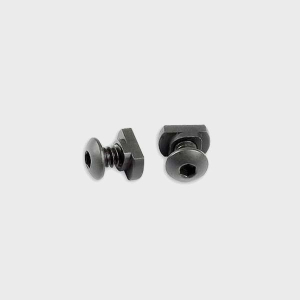
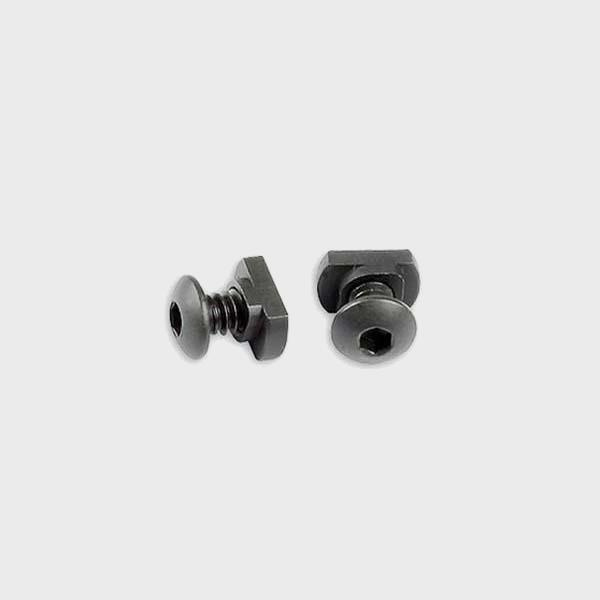
M-LOK hardware—consisting of screws, nuts, and washers—creates the mechanical connection between your accessory and the rail system. The hardware must maintain consistent clamping force without damaging the rail, accessory, or mounting surface.
Because M-LOK slots operate within tight dimensional tolerances, even small hardware variations can affect how accessories seat and whether they remain stable during use.
Clamping Force Distribution
Hardware creates even pressure across the accessory mounting surface, preventing point-load damage and ensuring consistent seating.
Vibration Resistance
Properly tightened hardware resists loosening caused by recoil vibration, weapon movement, or environmental stress during extended shooting sessions.
Why Screw Length Matters
Screw length directly affects how securely your accessory mounts and whether the hardware can cause damage during installation.
Too Short a Screw
Short screws fail to thread sufficiently into the nut, reducing clamping force and allowing accessories to creep or rotate over time during use.
Too Long a Screw
Excessively long screws protrude past the nut engagement point, potentially piercing accessory mounting surfaces, damaging internal components, or creating sharp protrusions.
Proper Screw Length
Correctly sized screws thread fully into the nut with minimal protrusion, creating reliable clamping force without causing component damage or stress points.
Understanding Nut Timing and Alignment
Nut timing refers to the precise rotational position of the M-LOK nut relative to the slot geometry and screw hole alignment.
Slot Geometry Compatibility
M-LOK slots feature specific geometry designed for particular nut profiles. The nut must rotate freely until it locks into the slot, preventing further rotation during screw tightening.
Screw Hole Alignment
The accessory screw holes must align perfectly with the nut's threaded opening. Misalignment creates binding, stripped threads, or incomplete engagement.
Anti-Rotation Features
Quality nuts include features that prevent rotation once tightened, maintaining consistent clamping pressure and preventing accessory creep during shooting.
How to Verify Correct Hardware Setup
Before mounting accessories permanently, several simple checks ensure hardware compatibility and function.
Dry-Fit Verification
Hand-tighten screws without using tools to confirm that threads engage smoothly, the nut seats correctly, and no binding occurs during rotation.
Screw Protrusion Inspection
Once hand-tightened, verify that screws do not protrude excessively or pierce any internal surfaces of the accessory.
Nut Engagement Confirmation
Ensure the nut rotates freely until full engagement and locks in position without wobbling or tilting within the M-LOK slot.
Hardware Torque Testing
Use appropriate torque specifications when available, or tighten gradually with tools, stopping before you feel resistance indicating over-tightening.
Common Signs of Improper Hardware Installation
Hardware problems often manifest during shooting or heavy-use scenarios when stable components suddenly become unstable.
Accessory Creep or Rotation
If your accessory rotates or shifts position between shooting sessions, improper screw length or insufficient tightening should be evaluated.
Stripped or Cross-Threaded Hardware
Difficulty turning screws, grinding sounds during tightening, or inability to achieve final tightness indicates hardware misalignment or incorrect specifications.
Nut Binding During Installation
If the nut resistance increases unexpectedly during screw tightening or tightening causes the nut to tilt in the slot, nut sizing or slot geometry may be incompatible.
Excessive Vibration Noise
Rattling sounds from accessories during shooting or movement indicates loose mounting, often caused by under-tightening or hardware that's too short.
Balancing Tightness and Reliability
The goal of M-LOK hardware installation is creating a permanent, stable mounting that resists all forces generated during normal weapon use.
Firm Tightness Comes First
Secure mounting is far more important than minimal effort. Take time to properly tighten and verify each accessory installation.
Test With Your Actual Setup
Always function-check your complete weapon configuration with all accessories mounted and tightened before relying on the system in any critical capacity.
Periodically Re-Check Hardware
Even properly installed hardware can loosen over time from vibration and environmental stress. Regular checks prevent unexpected failures during use.
When Hardware Adjustments Are Necessary
If problems develop after initial installation, methodically evaluate each component rather than immediately replacing everything at once.
Test with replacement hardware of verified correct specifications. Sometimes a single mismatched component is responsible for the entire problem. Replacing one problem part often resolves issues immediately.
Did You Know?
Many M-LOK mounting failures are actually caused by hardware specification mismatches rather than the M-LOK system design itself or accessory quality.
Conclusion: Proper Hardware Selection and Installation Ensures Rock-Solid Accessory Mounting
The M-LOK system is exceptionally reliable when hardware is matched correctly and installation follows proper methodology. Correct screw length, precise nut timing, and understanding how these components interact ensures your accessories remain permanently mounted through intensive use and demanding conditions. By prioritizing hardware compatibility, using quality components, and verifying installations carefully, you can build an M-LOK system that performs flawlessly. For premium M-LOK hardware, compatible accessories, and handguard systems engineered with precise specifications, explore M-LOK screw and nut replacement sets and M-LOK foregrips and handstops engineered for dependable performance.
FAQs
What is M-LOK nut timing?
Nut timing refers to the correct rotational alignment of the M-LOK nut within the slot so it locks into position and prevents rotation during screw tightening.
How do I know what screw length to use?
Always use screw lengths provided with your M-LOK accessories. If purchasing hardware separately, verify that length specifications match your accessory design and slot depth.
Can I use any screw in an M-LOK system?
No. M-LOK screws have specific diameters and lengths. Using incorrect hardware causes thread stripping, incomplete engagement, or component damage.
What causes M-LOK rail rotation?
Rail rotation typically results from under-tightened hardware, screw length mismatches, or hardware that doesn't fully engage the threaded nut.
How often should I check M-LOK hardware?
Inspect M-LOK hardware after the first 50-100 rounds, then periodically during regular maintenance or after intensive training sessions to catch any loosening early.